
When your Google Analytics 4 looks like this:
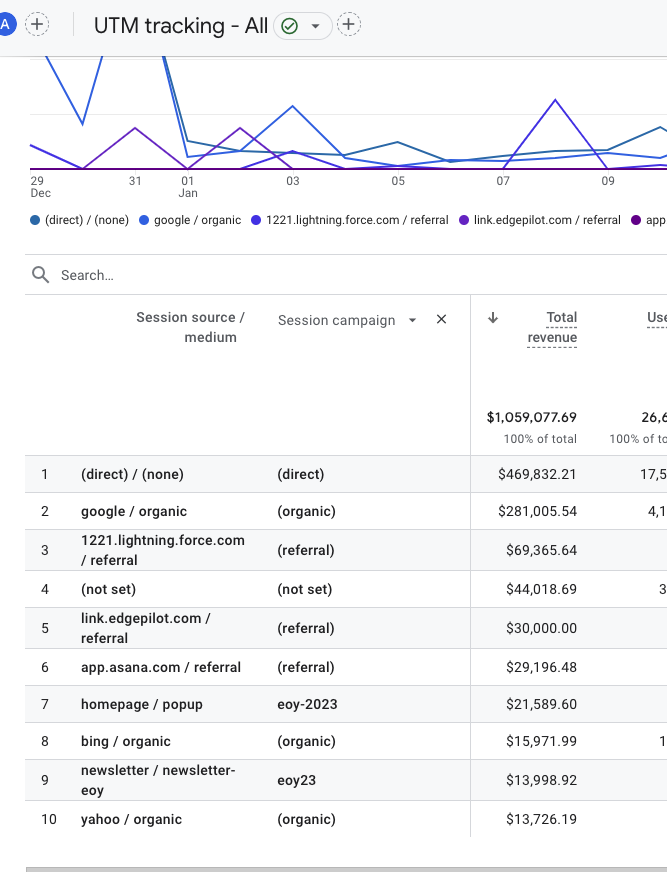
... you might need an out-of-the box solution.
Marketing Campaign Organizer and Tracking Planner
Despite years of innovation in digital marketing, UTMs (urchin tracking module) have survived through all four iterations of Google Analytics. Yet, somehow, these simple tags at the end of URLs are widely misunderstood, and even further misused.
Even if you have a team of social media experts building your campaigns, managing the UTM tagging strategies becomes as elusive as managing content strategy. Similar to content strategy, different assets can be used in different ways, causing inconsistencies across branding. While inconsistent branding confuses the customer, inconsistent tagging confuses the team. So, why not treat UTM tags like content and allow for a universal repository that allows for grouping and ownership? That's why I created Countif.ai.

- Marketing Planner
- Create new UTM tracking links (with AI ✨ if needed)
- Copy any new or existing link for easy access
- Assign ownership of links to any countif.ai username and track when tracking link was added
- Add descriptions to tracking links for the rest of your team
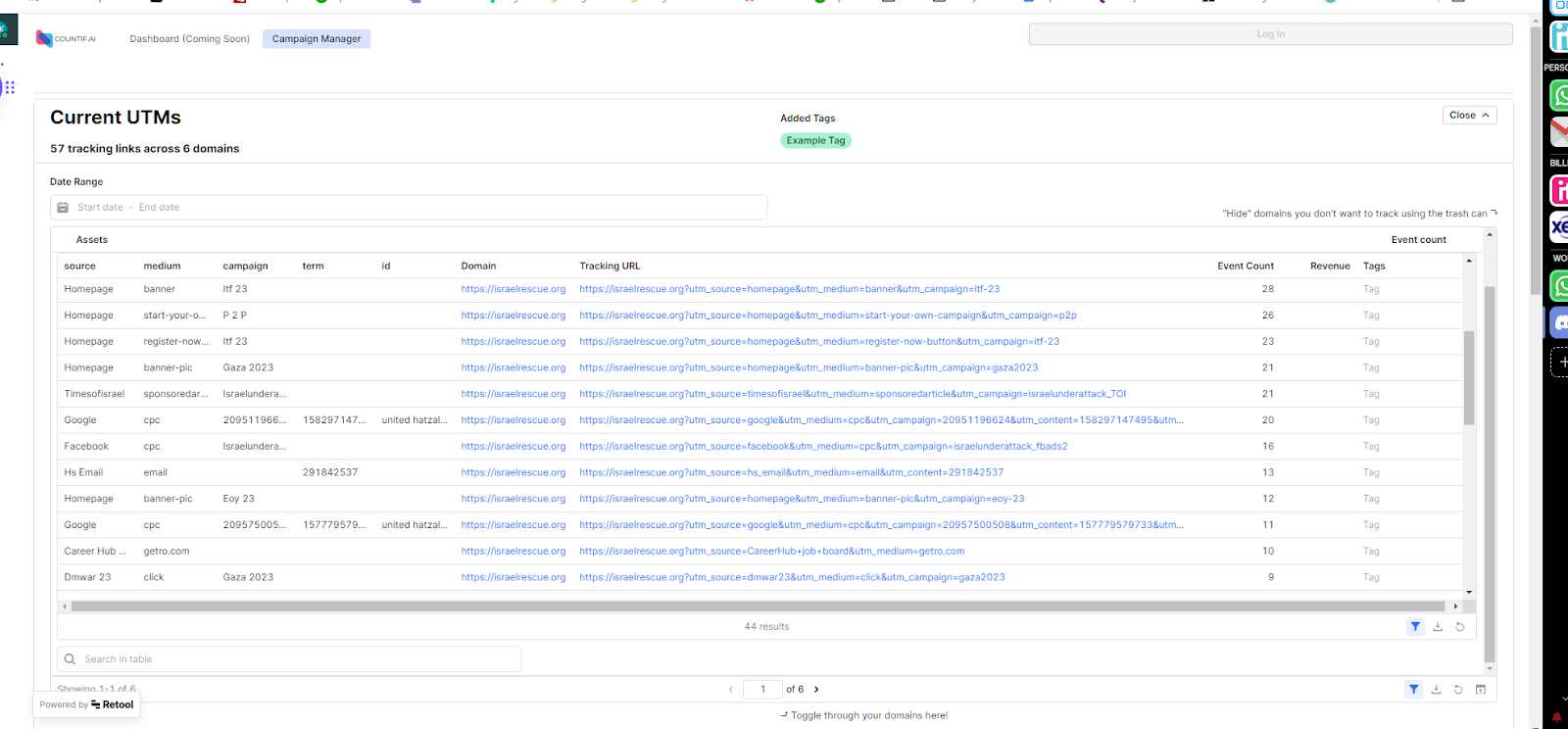
- Current UTM Organizer
- Automated data pipeline for all existing UTMs in GA4
- Shows total usage of each tracking link on your website
- Add tags to links for flexible groupings
- Separates domains for easy organization
- Configuration Module
- Remove irrelevant tracking links from attribution
- Order UTMs based on how your
Revenue Dashboard for Multi-Touch Attribution
Ultimate goal is to bridge the gap between Market Mix Modeling (MMM) and Multi-touch Attribution (MTA) by connecting website event data with ad spend and revenue. The working prototype utilizes managed data pipelines and templated data transformation workflows, populated and triggered via an intuitive Ul.
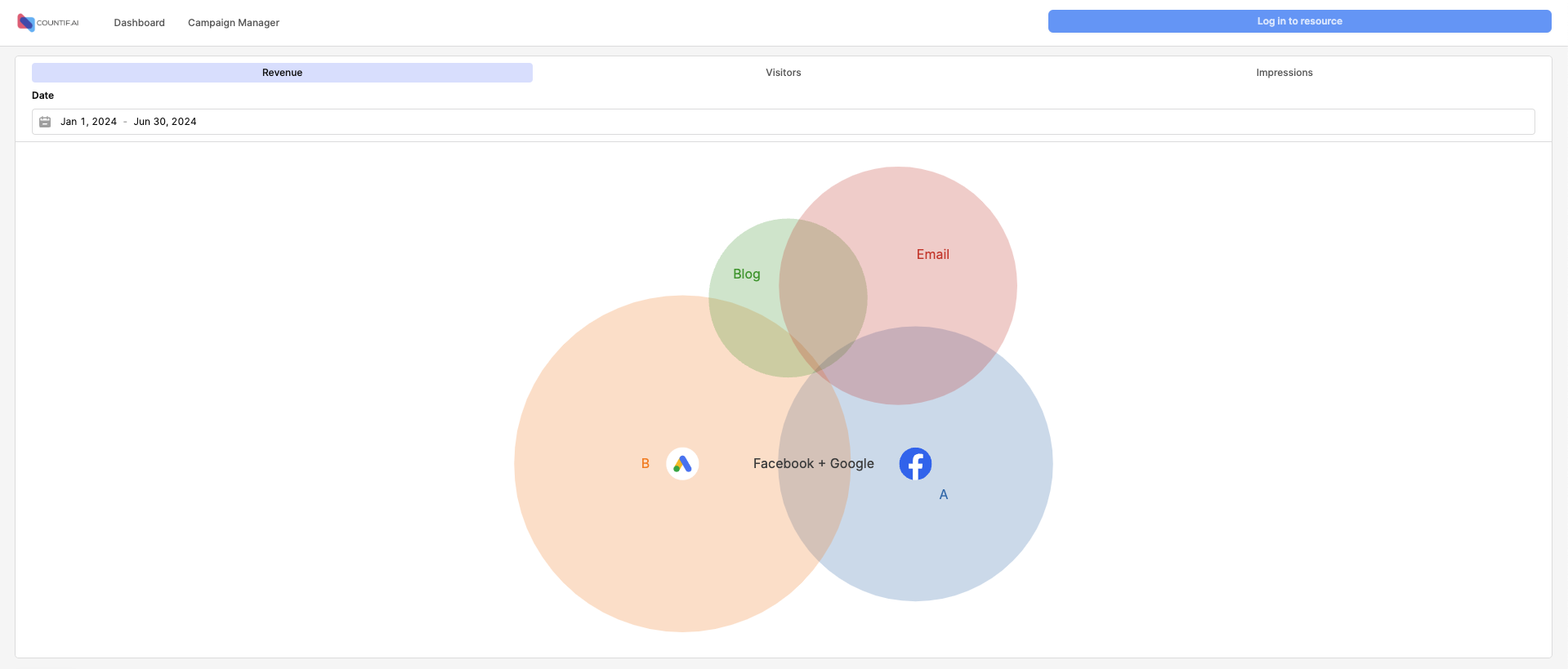
The dashboard uses a time-decay attribution to assign revenue, visitors, and impressions to different channels. This shows you not only which channel brought in the revenue, but also which channels lead to that visit. The channel assignment is fully configurable in the Campaign Manager either through the top level UTM parameter, or via tags.
Next Steps
The third and final module connects to budget and revenue datasources via managed data pipelines. This translates the attribution of revenue according to GA4 tracking to channels and validates it with actual transactions that occurred on your platform. Then, it combines it with daily ad spend to get a full picture of your Return on Ad Spend (ROAS) and Customer Acquisition Cost.
.png)

.webp)